
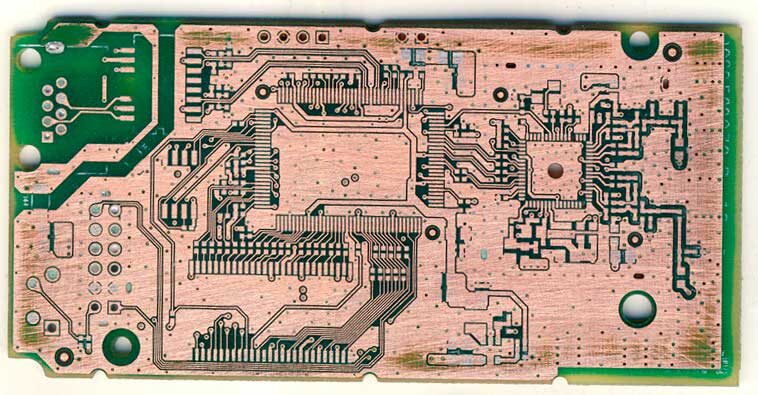
PCB Copy Services
Ctrlcpcb, operated by Shanghai Huangte Technology Co., Ltd., supports global customers with PCB reverse engineering, PCB cloning and design recovery. If you have a sample board but incomplete design documentation, we can review the available information and agree a practical route from the existing board to a new build. Send clear photographs of both sides, board dimensions, sample condition, any schematics or production files, required quantities and the outputs you need.
The agreed scope may include recovered design documentation, PCB prototyping, volume manufacturing, component sourcing, SMT/THT assembly, functional testing and box build, with global shipping. Project outputs and validation requirements are defined before work starts. Tell us which functions the new board must reproduce, how it will be tested and where the finished boards or products need to be delivered.
Explore PCB Reverse Engineering | Request a PCB Copy Quotation
services
Why Us
HUANG TE PCB’s PCB Cloning Service, is designed to help customers quickly replicate and optimize circuit board designs. With advanced equipment and a skilled engineering team, we accurately restore schematics and BOMs, supporting multilayer boards and high-precision requirements. Whether replacing obsolete products or improving existing designs, we provide efficient and reliable solutions. Choose HUANG TE PCB to make your product development faster and easier!
Save Cost
Market competition is becoming increasingly fierce, and rapid product launch has become the key for companies to gain a foothold in the market. Through PCB copying, companies can make improvements on the basis of original products to avoid designing from scratch, so they can be introduced to the market more quickly and seize opportunities
Save Time
Your project schedule is based on the sample condition, required design files, component availability, quantities and test scope. We agree the deliverables and review stages before work begins, then coordinate design recovery, prototyping and production for your project.
Quality Warranty
PCB copying requires engineers to have an in-depth understanding of circuit principles and wiring. From copying the board to the final product, it needs to go through multiple links such as reverse engineering, simulation analysis, and optimized design. The strength of our technical team is sufficient to ensure that we provide reliable services and products.
Industries We've Copied

Medical

Oil-Gas

Robotics

Sports

Telecom

Aerospace

Agriculture

Automotive

Electronics

Flow
PCB Copying Workflow and Project Questions
A PCB copying project starts with sample review and an agreed list of recovered files. After the design data has been checked, the project can continue into prototype manufacturing, component sourcing, assembly and testing before production and global delivery.
What to prepare for a PCB copy project
- Clear photographs of both sides, board dimensions and readable component markings.
- Sample quantity, working condition and any restrictions on sample handling.
- Existing schematics, BOM, layout files or manufacturing documentation.
- Required output files and formats, prototype quantities and expected production quantities.
- Required functions, test procedure, acceptance criteria and delivery destination.
What is PCB reverse engineering?
PCB reverse engineering examines an existing circuit board to help recover design information when original documentation is missing or incomplete. At Ctrlcpcb, the project starts with a review of your sample, available files, required outputs and validation needs.
What should I send for a PCB cloning quotation?
Send clear photographs of both sides, board dimensions, sample condition, required quantities and any existing design or production files. Explain what the board does, which outputs you need and whether a physical sample can be supplied.
Which files or deliverables can be included?
The agreed scope may include PCB layout and manufacturing files, a schematic, a bill of materials, prototype boards or assembled units. Confirm the file formats, revision requirements and acceptance criteria with Ctrlcpcb before the project begins.
Can Ctrlcpcb handle production after design recovery?
Yes. Services can extend to PCB prototyping and volume manufacturing, component sourcing, SMT/THT assembly, functional testing and box build. Include your testing requirements and delivery destination so the project can cover the stages and global shipping you need.
Record
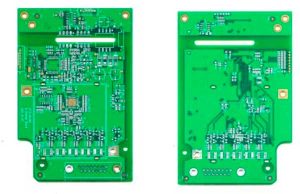
Get a PCB and first record the model, parameters, and location of all vitality components on paper, especially the direction of the diode, triode, and IC gap.
Layer File
Take the top.bmp/bottom.gmp File to convert to the top.PCB/bottom.PCB, pay attention to convert it to the Drill Guide layer, then just trace the line on the Top layer/Bottom Layer, and place the component package according to the picture. After painting, delete the Drill Guide layer.

Clean
Remove all components and remove the tin from the PAD holes. Use alcohol to clean the PCB, then put it into the scanner, start PHOTOSHOP, and color the silk Scan the printing surface and print it out for later use.
Polish & Scan
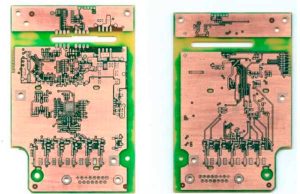
Lightly polish the TOPLAYER and BOTTOMLAYER layers with water gauze paper until the copper film is shiny. Put it in the scanner, start PHOTOSHOP, and scan the two layers in color. Note that the PCB must be placed horizontally and vertically in the scanner, otherwise the scanned image will not be usable.
Copy
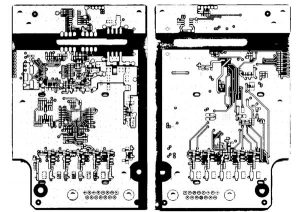
Adjust the contrast and lightness of the canvas so that the part with copper film and the part without copper film are in strong contrast. Then convert the image to black and white and check whether the lines are clear. If not, repeat this step. If it is clear, save the image as black and white BMP format files TOP.BMP and BOT.BMP.
Convert
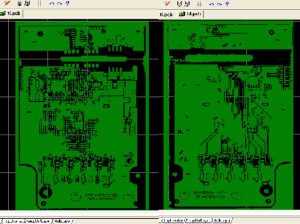
Convert the two BMP format files to PROTEL format files respectively, and transfer the two layers in PROTEL. The positions of PAD and VIA on the two layers are basically coincident, indicating that the first few steps are done well. If there is a deviation, repeat the third step.
PCB File
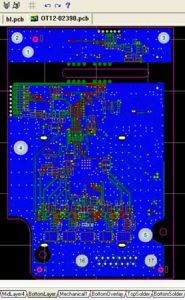
Set TOP in PROTEL. PCB and BOT. PCB is transferred in and merged into one picture and it is OK.
Inspection
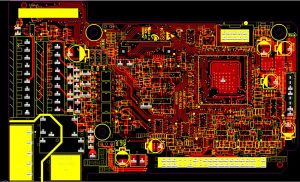
Inspection. After drawing all the layers, you still need to check carefully. Export the drawn PCB file as a GERBER file, open it through CAM2000DE, then export the picture and compare it with your PCB source file to see if there are any omissions or errors.